Self-hosted · Open source · Free
Point it at the mess. Get back a library.
MusicHoarder identifies every track by its sound, fixes the tags and builds a clean library on your own disk — then plays it in an app that feels at home on your iPhone, your Android phone and your desktop.
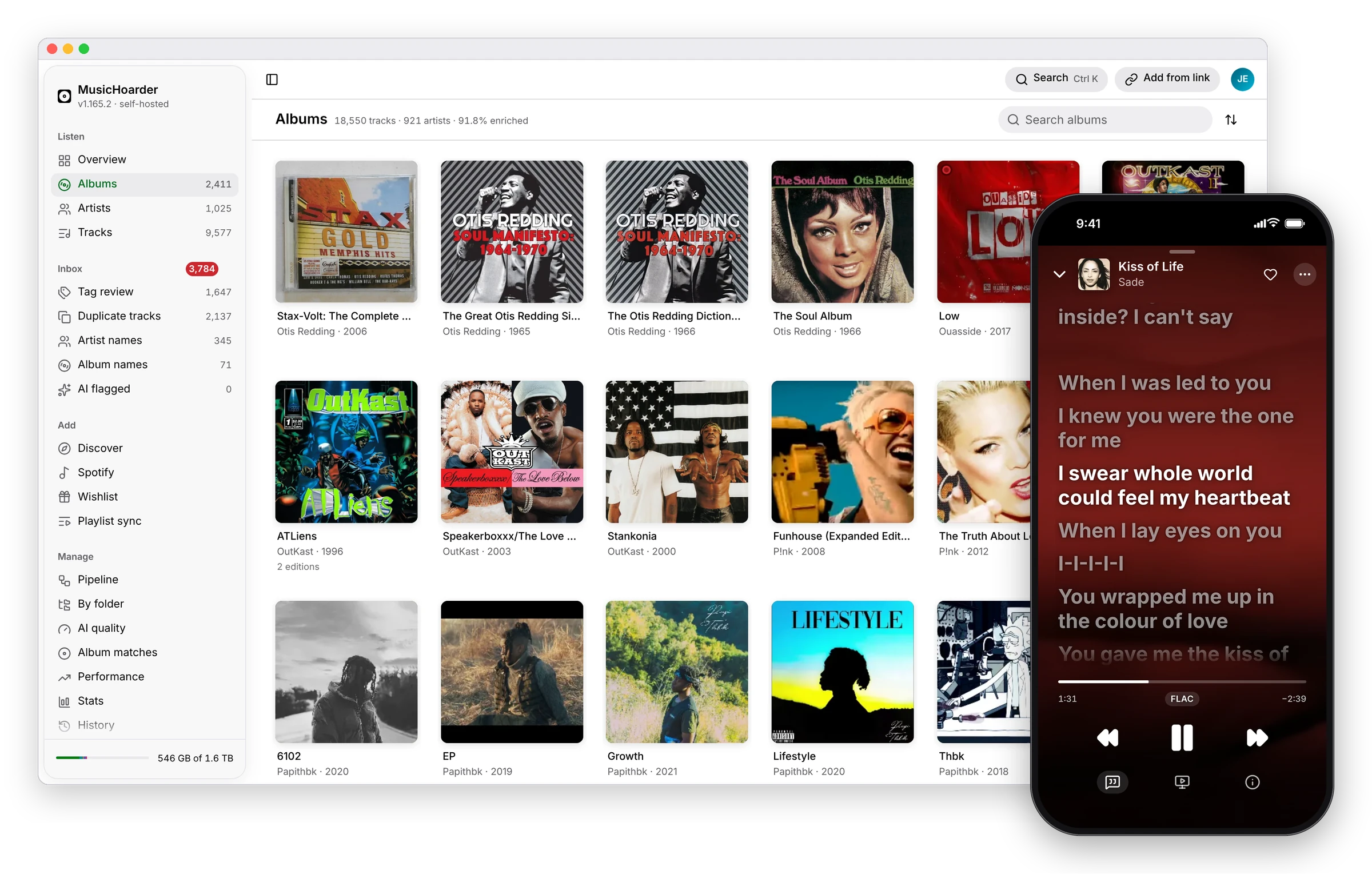
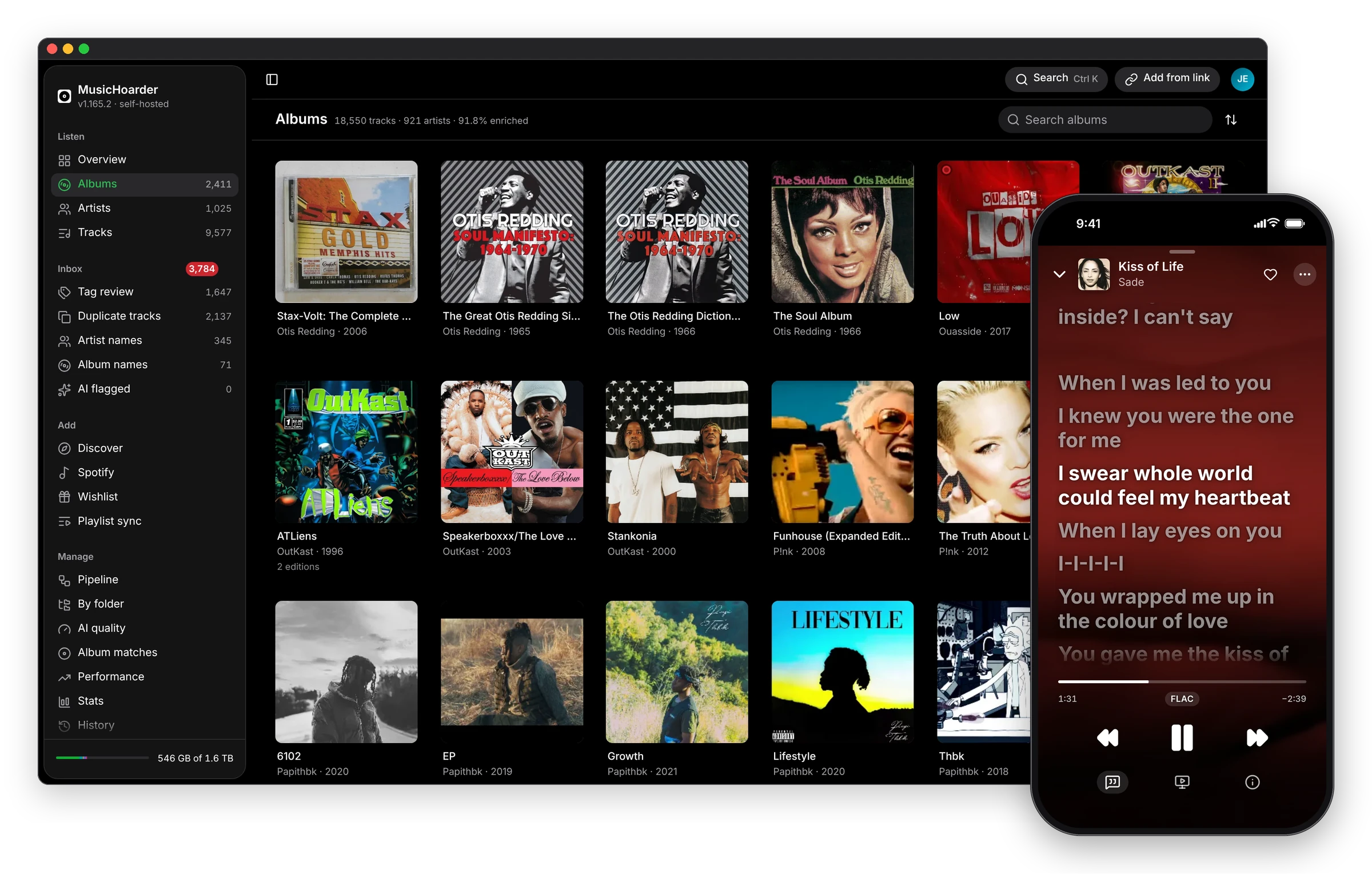
Runs on your hardware · Your originals stay read-only · Plain files on disk
Listen
A player worthy of the music you own.
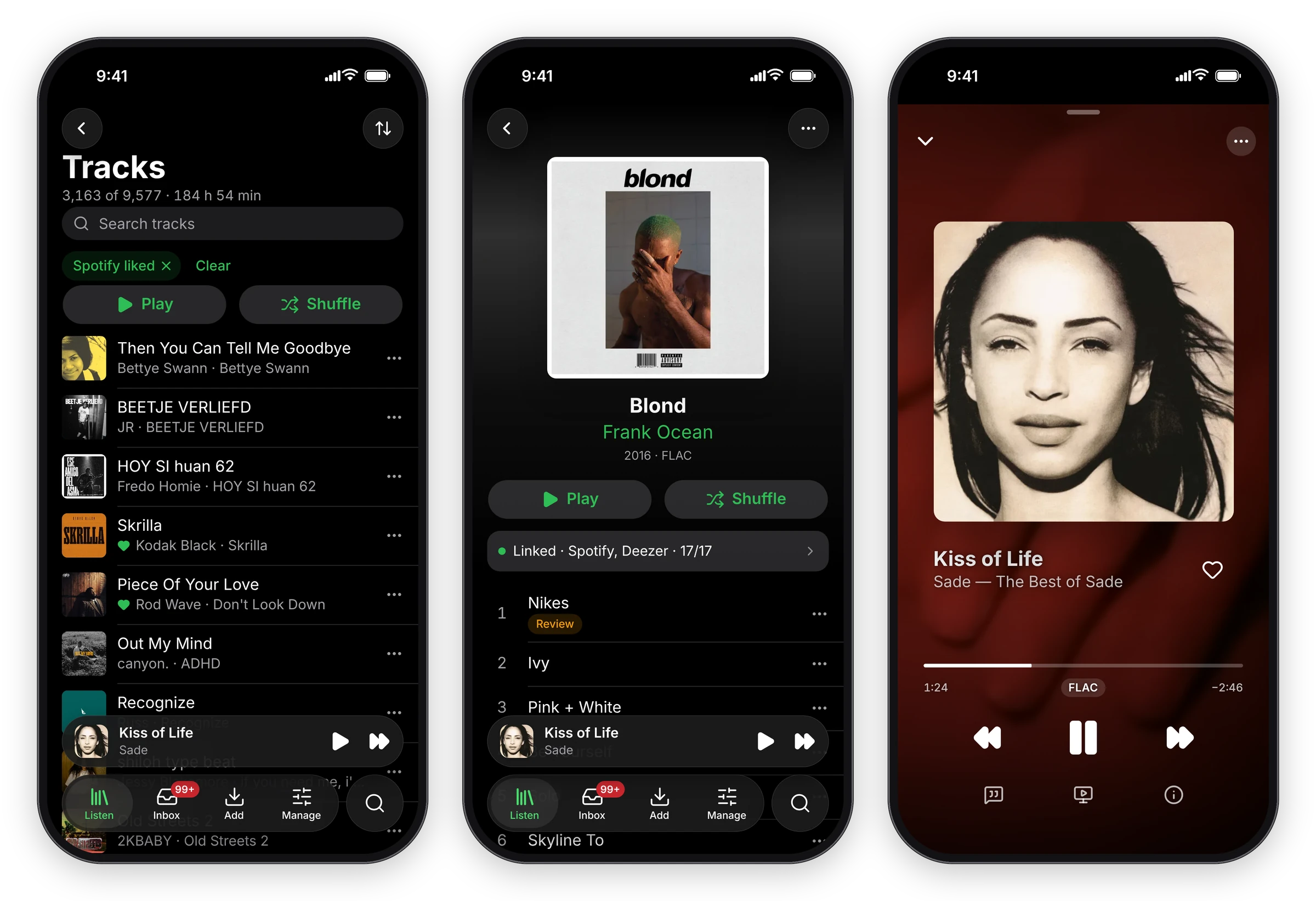
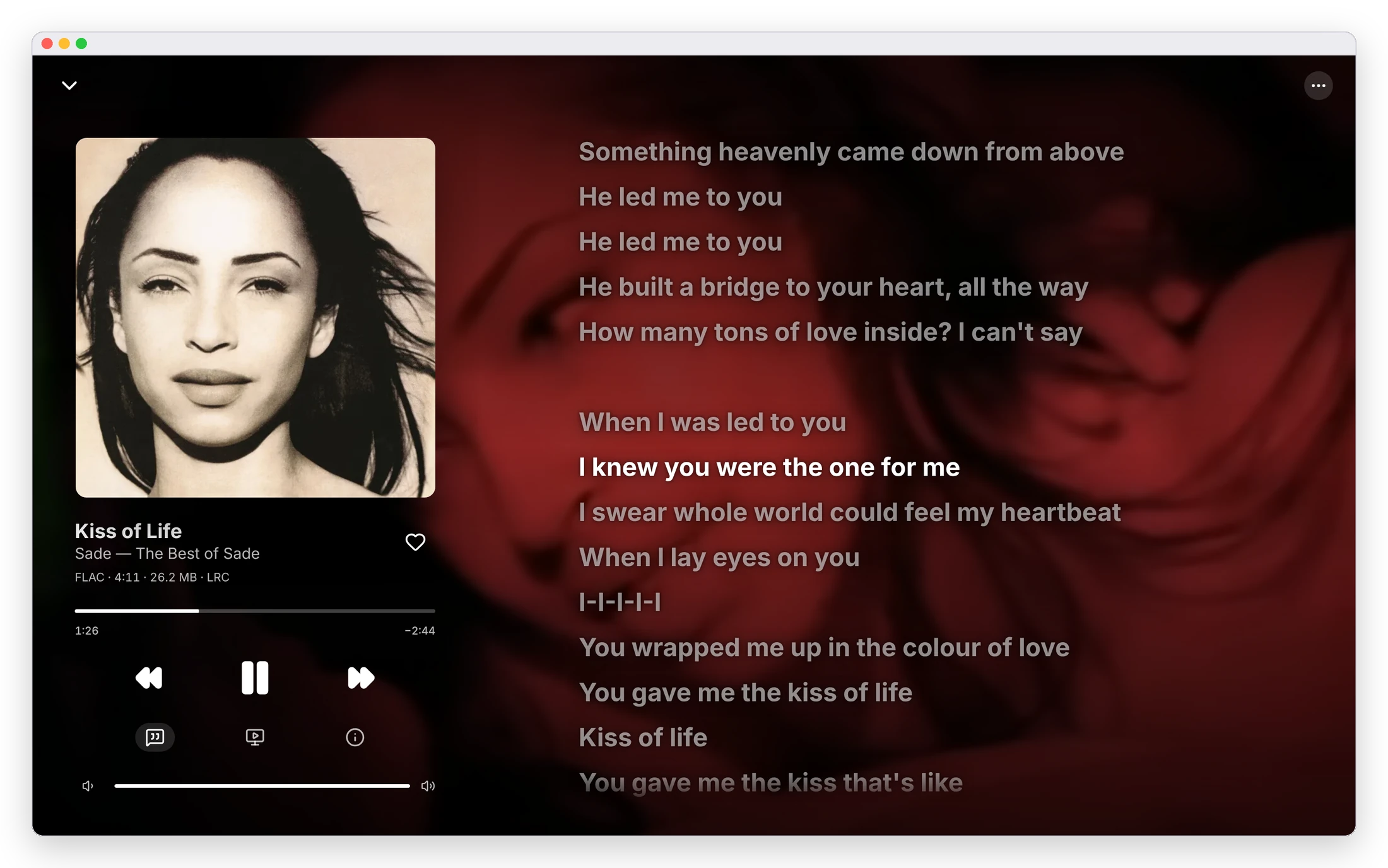
Once the library is clean, it is a music app in the style of Apple Music — browse by album, artist or track, sing along to synced lyrics, and let it keep playing.
-
Now Playing, with the words
Full-screen and always dark, over the cover or the song’s own music video. Synced lyrics follow along, and tapping a line jumps there.
-
Built like an iPhone app
A floating tab bar, large titles that collapse as you scroll, grouped lists, sheets, long-press menus and an edge swipe for Back.
-
It keeps playing
When the queue runs out, a radio continues with similar songs from your library. It plays on in the background, and decodes formats Safari can’t play.
-
Accessible by default
Text follows the iPhone’s Text Size, and Reduce Motion, Reduce Transparency and Increase Contrast are all honoured. Every text colour is contrast-checked.
-
Likes and play history
Heart anything. Plays are counted, so the Overview’s shelves come from what you actually listen to: favourites, recently added, most played.
-
Install it
Add it to your iPhone’s Home Screen, or install it from Chrome or Edge. A native Android app mirrors the same design and behaviour.
Organize
Identified by sound. Agreed on by consensus.
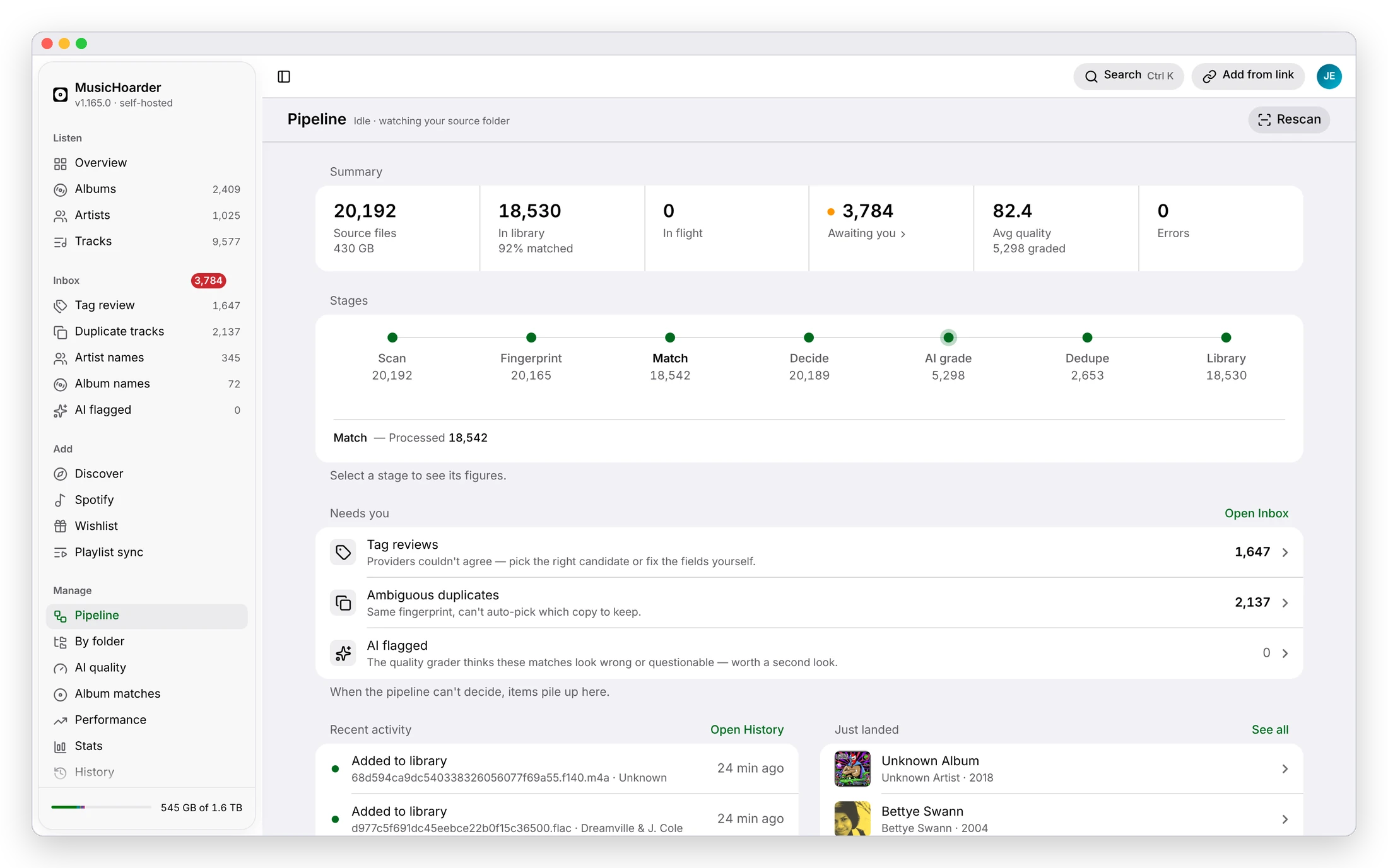
Every file is fingerprinted, matched by several providers at once and written as a clean, consistently tagged copy — Artist / Year - Album / NN - Track — while your originals stay exactly as they were.
-
Identified by sound
Chromaprint and AcoustID fingerprint every file, so track_047.mp3 with empty tags is recognised for what it is.
-
Consensus, not the first hit
AcoustID, MusicBrainz, Spotify, Apple Music, Deezer and community trackers each answer independently. Agreement auto-matches; disagreement goes to you.
-
Your originals, untouched
The source is read-only. Clean copies are written to a separate library, and a good tag is never overwritten without a strong consensus.
-
Whole, complete albums
One identity per album folder keeps albums whole in Navidrome and friends, and a cross-checked tracklist shows which tracks you’re missing.
-
Real covers, synced lyrics
Artwork from the folder, the file or Cover Art Archive, Deezer and iTunes. Time-synced lyrics from LRCLIB, embedded in the file.
-
The best copy wins
Duplicates are grouped by fingerprint and ranked by codec, bitrate and tag quality, so only the best version is built.
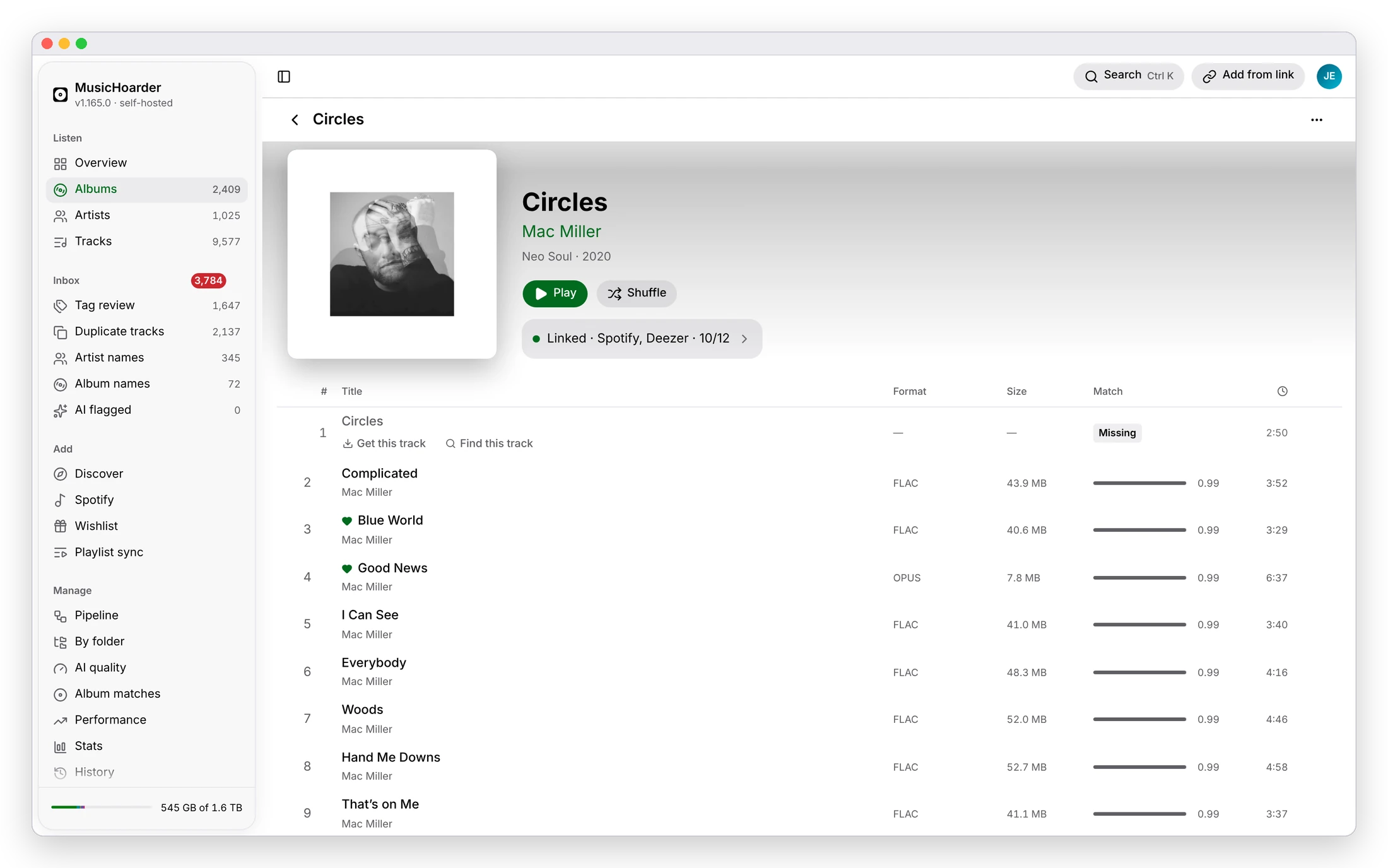
Every album, complete.
Each album is cross-checked against MusicBrainz, Spotify, Apple Music and Deezer, so its page lists every real track — and marks the ones you are missing, with one tap to go and get them.
Review
When it can’t decide, you do — and only then.
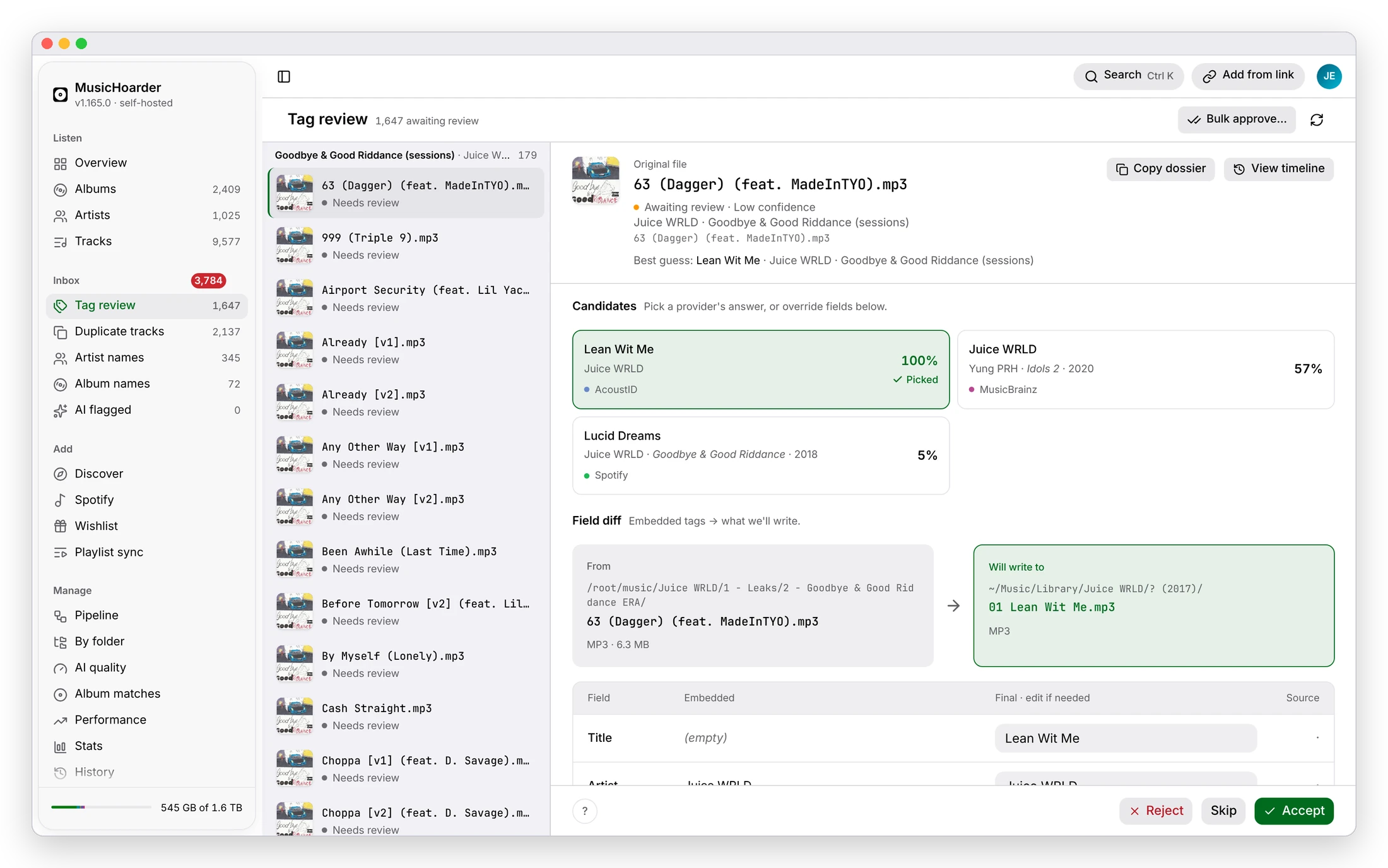
The confident matches flow straight into the library. Everything ambiguous collects in one Inbox, so you look at dozens of decisions, not thousands of files.
-
Tag review
Low-confidence matches with every provider’s candidate and a field-by-field diff of what will be written. Approve, correct, or bulk-approve.
-
Duplicates and names
Compare fingerprint twins and keep the best, and merge spellings of one artist or album into a single name.
-
Graded by an LLM
An optional quality grader scores every match 0–100 and flags what looks wrong. It is OpenAI-compatible, and works with a local Ollama.
-
Nothing is a black box
Any track tells its whole story: the file it came from, every provider’s answer, its AI grade, and a timeline of how it reached the library.
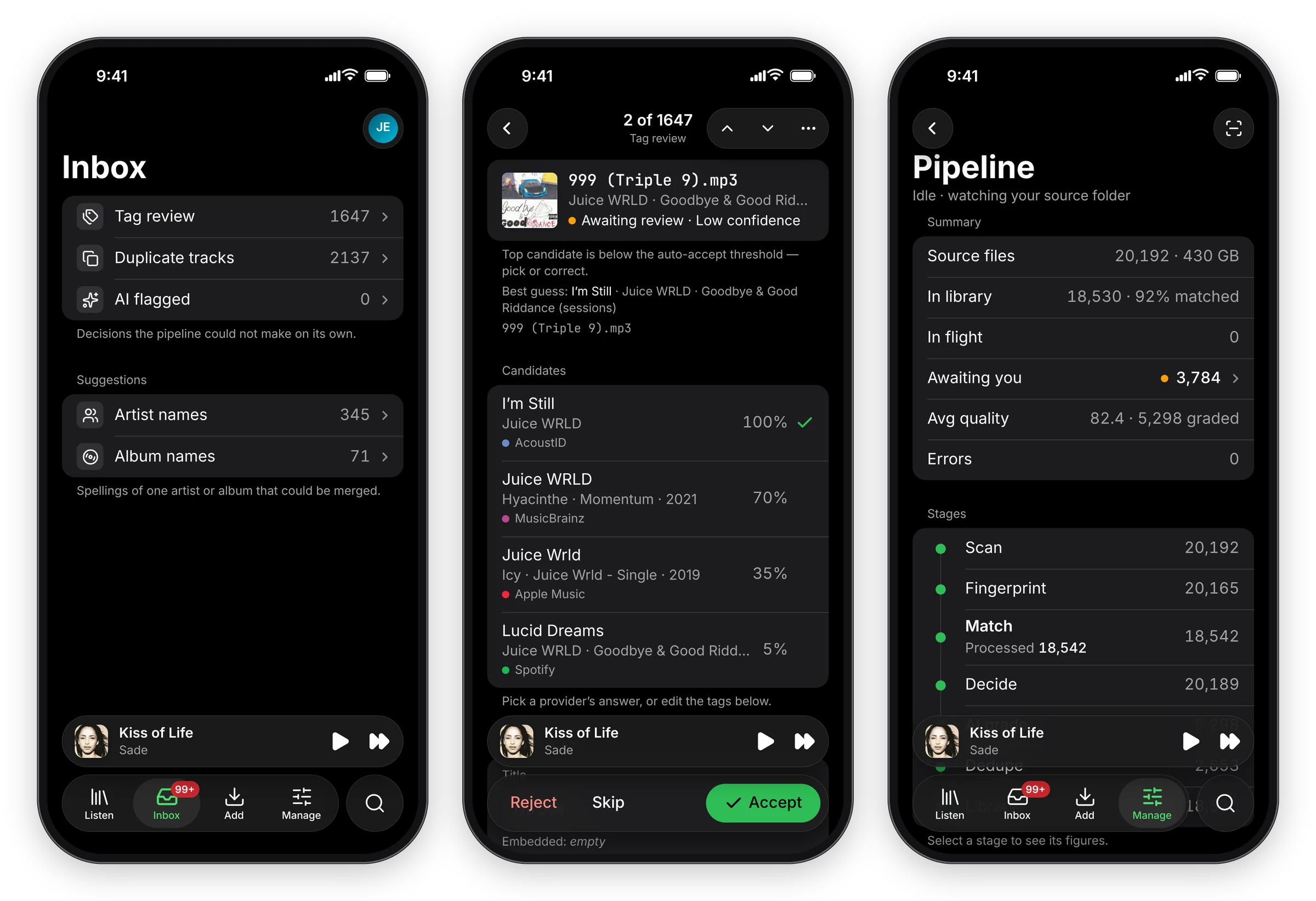
Clear the Inbox from your phone.
Every queue opens as a list with pushed details and a bottom Accept · Skip · Reject toolbar, and the whole pipeline is a tap away under Manage.
Grow
New music finds its way in.
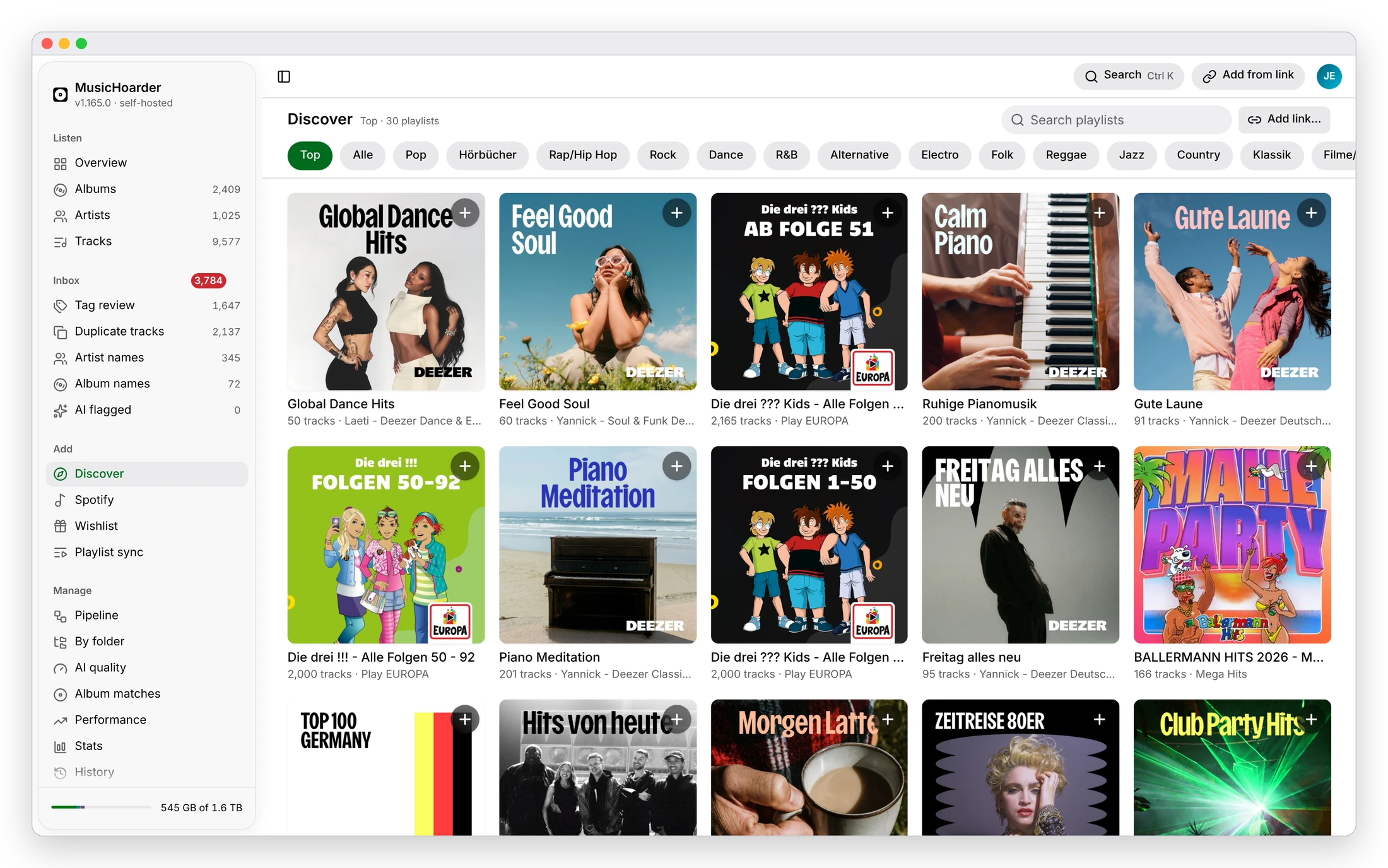
Discover playlists, sync what you like on Spotify, or paste a link — and, if you switch it on, wishlisted songs are fetched and filed for you.
-
Discover
Browse editorial and chart playlists by genre, or paste a playlist link, and subscribe so new tracks are wishlisted as they appear.
-
Spotify sync
Connect Spotify read-only to see your Liked Songs and playlists matched against your library, and sync any of them into the wishlist.
-
Wishlist, downloaded
Optionally, wishlisted songs are fetched for you through a chain of sources — a self-run Soulseek client and yt-dlp among them — and land in the right album.
-
Add from a link
Paste a Spotify track or YouTube link, and the song is downloaded straight into your library.
-
Playlist sync
Mirror Liked Songs or any playlist as an .m3u8 file in the library, so Navidrome, Plex and Jellyfin pick it up.
-
And more
Two-way likes with Navidrome, in-place quality upgrades from Soulseek, and NAS-to-VPS instance sync — each optional.
Share and keep track
Bring people in. See what it’s been doing.
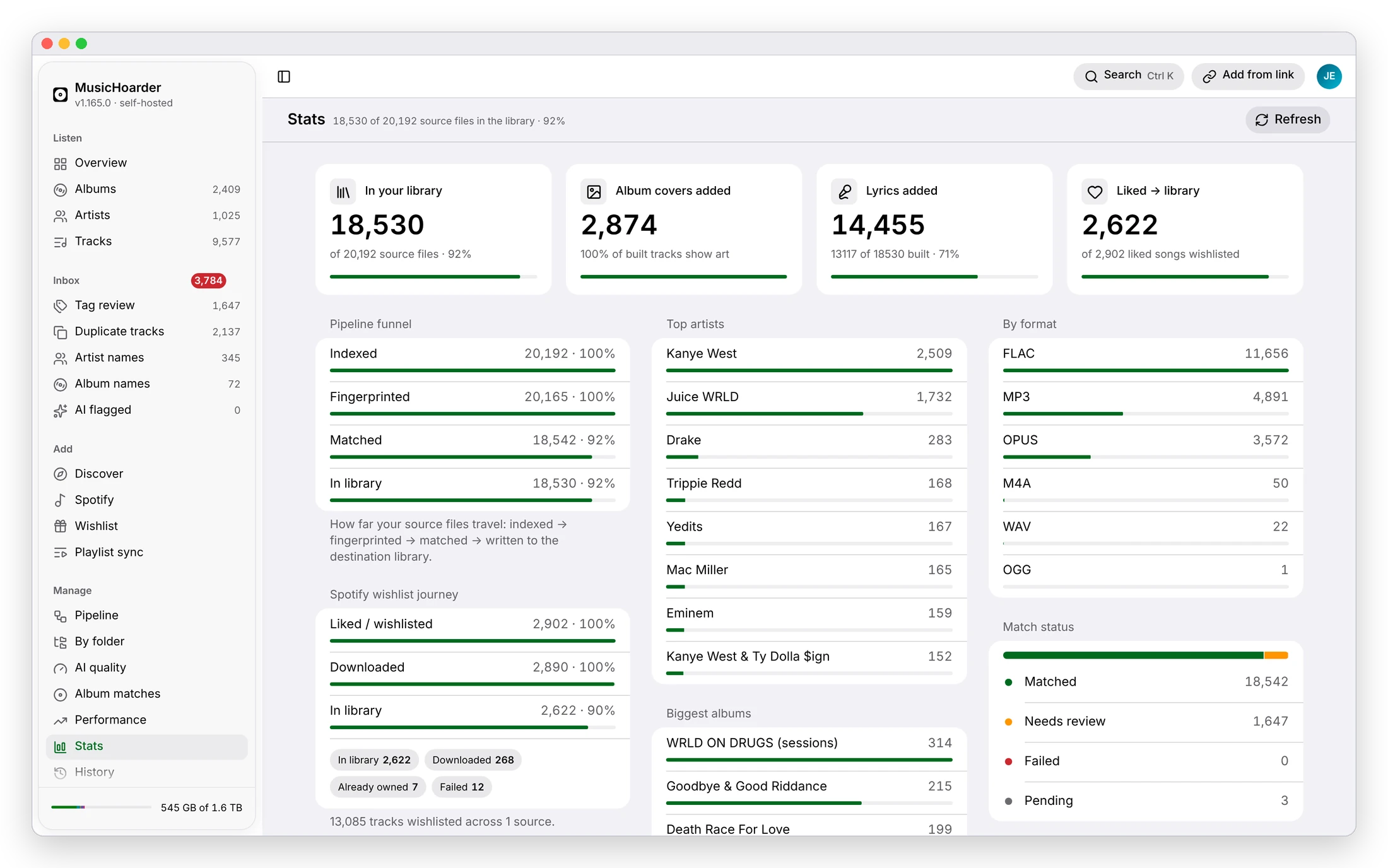
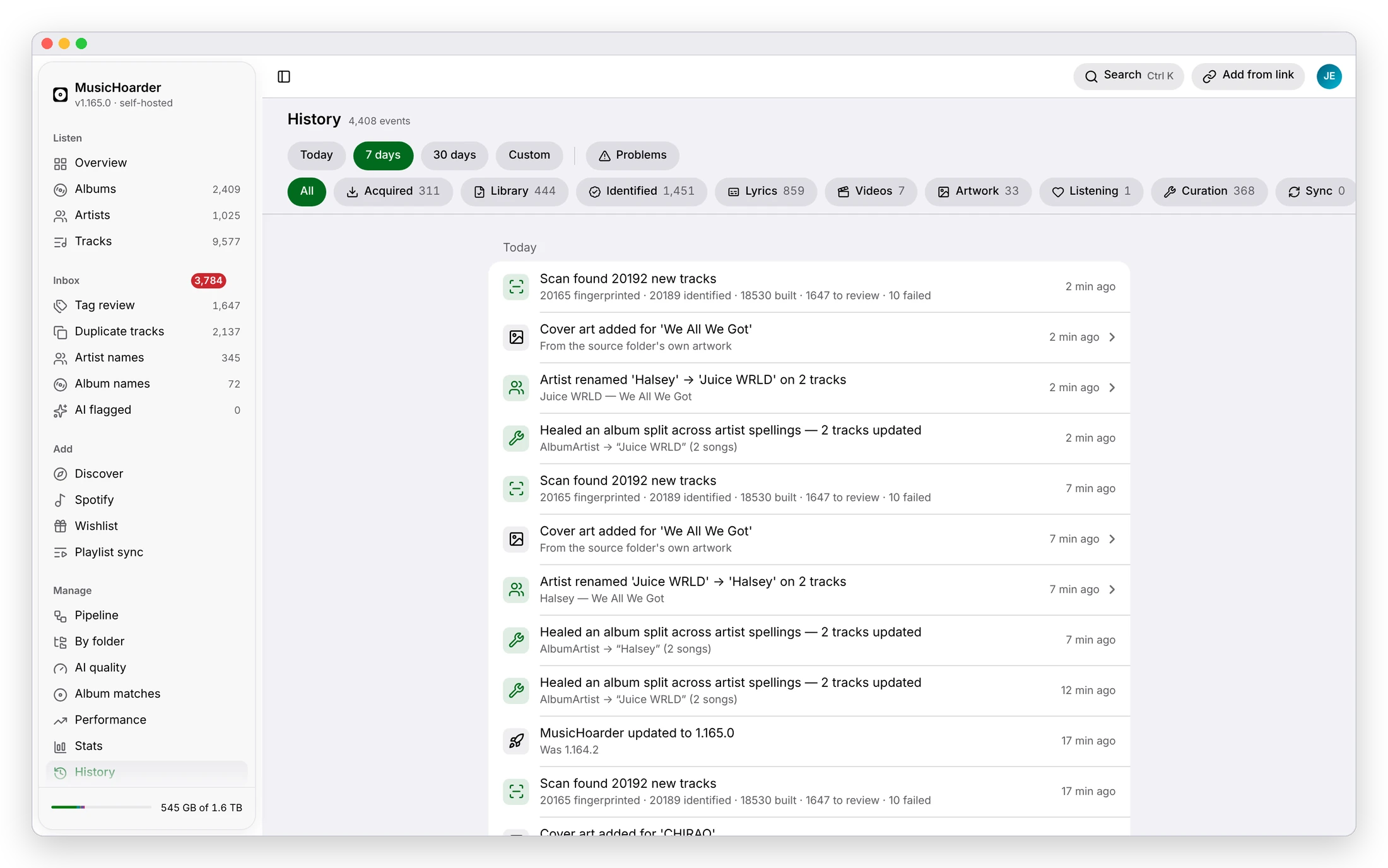
Share a single album or your whole library, and check the numbers and the history behind it whenever you like.
-
Share links
A revocable, no-account link to one track or a whole album, played on a clean page with full-screen synced lyrics.
-
Member accounts
Invite people by email and share albums, artists or everything. They get the same listening app, with their own likes and plays.
-
More than one account
Sign in to several accounts on one browser or phone, and switch between them from the account menu.
Self-host
Up and running in three steps.
No account and no subscription. Grab two files, point them at two folders and open a browser. An AcoustID key is optional, but sharpens matching.
-
Download and configure
Grab docker-compose.yml and .env.example — no repo clone needed. Point MUSIC_SOURCE_PATH at your messy folder and MUSIC_DESTINATION_PATH at an empty one for the clean library, then set a POSTGRES_PASSWORD, OWNER_EMAIL and PUBLIC_BASE_URL.
-
Bring it up
Run docker compose up -d. It pulls the prebuilt API and frontend images from GHCR, starts PostgreSQL, applies migrations, and the scanner begins walking your source folder straight away.
-
Open it
Visit the frontend on :3000 (the API is on :5050), watch the Pipeline fill, and clear anything that lands in your Inbox. An AcoustID key is optional but makes matching far more confident.
services:
  postgres:                       # metadata + cache
    image: postgres:17

  musichoarder:                   # API + the whole pipeline
    image: ghcr.io/jeffreyyvdb/musichoarder/api:latest
    ports: ["5050:8080"]
    volumes:
      - ${MUSIC_SOURCE_PATH}:/music/source:ro        # read-only
      - ${MUSIC_DESTINATION_PATH}:/music/destination # clean library
    environment:
      - MusicEnricher__SourceDirectory=/music/source
      - MusicEnricher__DestinationDirectory=/music/destination
      - MusicEnricher__AcoustIdApiKey=${ACOUSTID_API_KEY:-}
    depends_on: [postgres]

  frontend:                       # the web UI you're looking at
    image: ghcr.io/jeffreyyvdb/musichoarder/frontend:latest
    ports: ["3000:3000"]
    depends_on: [musichoarder]
Abridged — the full compose file, with Postgres, the environment and health checks, lives in the repository. docker-compose.yml
Start hoarding
Your library is one command away.
Pull the images, point them at your folders, and let the pipeline do the cataloguing. Or look around a real library first — the demo is read-only.
curl -fsSLO https://raw.githubusercontent.com/Jeffreyyvdb/MusicHoarder/main/docker-compose.yml
curl -fsSL https://raw.githubusercontent.com/Jeffreyyvdb/MusicHoarder/main/.env.example -o .env
# edit .env — set your two folders, a Postgres password, owner email + public URL
docker compose up -d